
How barcode tagging and scanning help medical equipment service centers track repairs, improve visibility, and keep customers informed.
A customer calls to ask about a piece of medical equipment they sent in for repair.
"Is it fixed yet?"
It's a simple question, but the answer isn't always easy to find.
The equipment was received several days ago, and there's a repair ticket in the system. But has someone inspected it? Is a technician working on it? Are we waiting for replacement parts? Has the repair been completed, but the equipment is still waiting for testing?
Answering these questions shouldn't require tracking down a technician or walking through the repair department.
With reliable, up-to-date information, customer service should be able to see where the equipment is in the repair process, what's been done, and what still needs to happen.
The Challenge of Tracking Equipment Through Repairs
Medical equipment repair facilities handle devices belonging to different customers and manufacturers.
Equipment moves through receiving, inspection, diagnosis, repair, testing, and shipping. Different technicians may handle the same machine, and some repairs spend days waiting for parts, customer authorization, or an available technician.
Most service centers already have repair tickets or Work Orders to manage the work. The challenge is keeping the information about each piece of equipment accurate and current as work progresses.
When updating records requires too much effort, information may be entered late or inconsistently. The equipment continues moving through the repair process, but the system doesn't always keep up.
Barcode Tagging and Scanning Make Tracking Easier
Barcode tagging and scanning offer a practical way to record equipment activity without unnecessary administrative work.
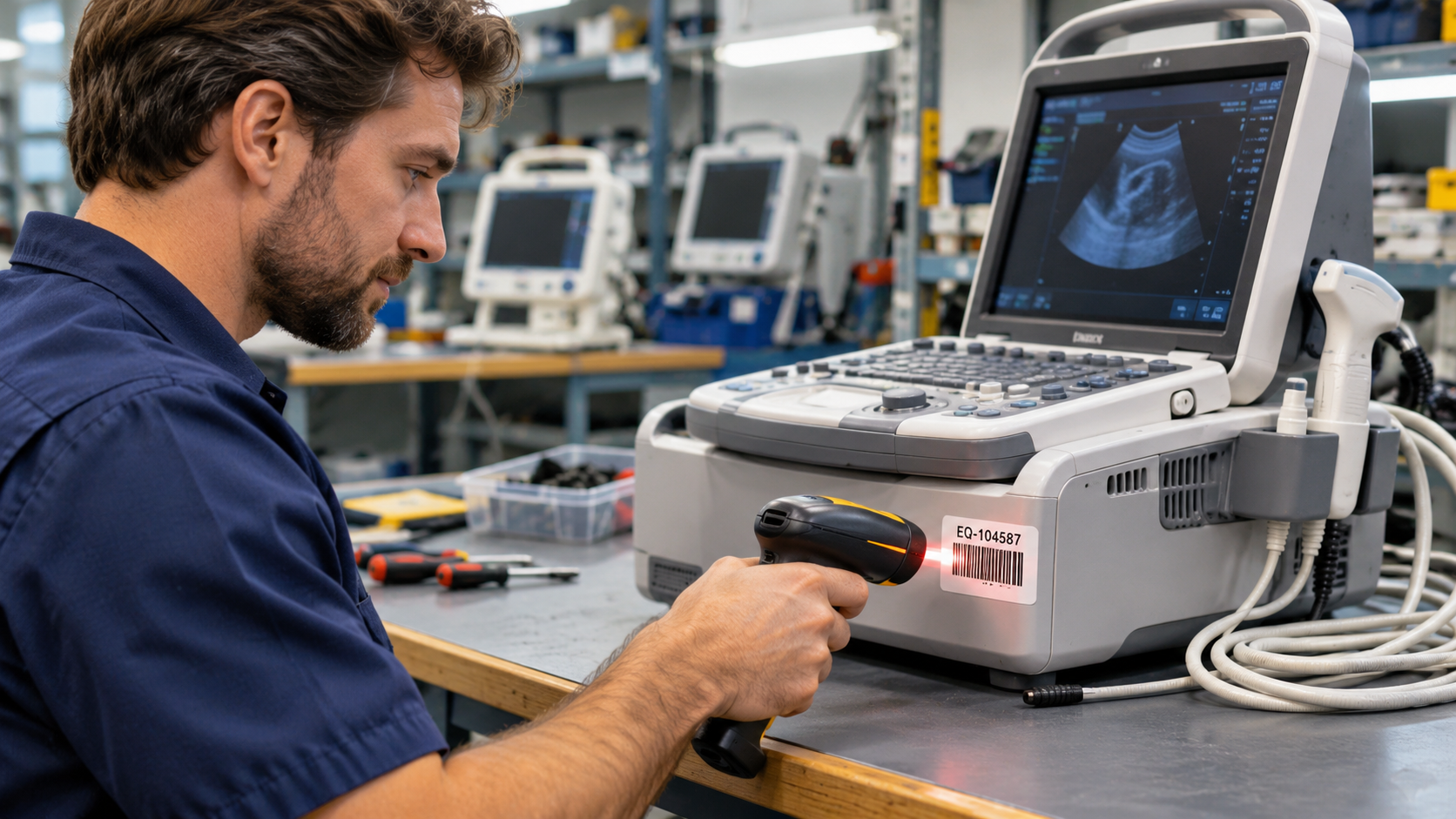
Each piece of equipment is identified by a unique barcode or QR code. This may be an existing manufacturer's barcode or a label applied by the repair facility.
As technicians handle the equipment, they scan the barcode to record changes in its location or status.
For example:
Receiving: Scan the equipment to record its arrival.
Inspection: Record inspection results and the next required action.
Repair: Update the status as work progresses or while waiting for parts.
Testing: Record when testing begins and is completed.
Shipping: Mark the equipment ready for return and record its departure.
Not every repair facility follows the same sequence, and not every step requires a scan.
Depending on the workflow, scanning a barcode might immediately update a location, prompt the technician to select a new status, request additional information, or open the relevant Work Order.
The objective is to make recording progress a convenient part of handling the equipment.
Knowing Both Where Equipment Is and What's Happening to It
An important distinction in equipment tracking is the difference between location and status.
A medical device might be physically located at Repair Bench 3, but its status could be "Awaiting Parts," "Repair in Progress," or "Ready for Testing."
Location helps employees find the equipment. Status helps them understand where it stands in the repair process.
A tracking solution can also preserve a history of activity for each serialized item.
For example, an equipment record might show that a device was received on Monday, inspected on Tuesday, repaired on Thursday, and tested on Friday, along with the technicians responsible for each step.
This provides a more complete picture than simply storing the equipment's current status. It's also useful when reviewing previous repairs or investigating delays.
Turning Equipment Activity into Useful Information
When repair activity is consistently recorded, different departments benefit.
Customer service can answer questions about repair progress without interrupting technicians.
Service managers can identify equipment that has been waiting too long for inspection, parts, repair, or testing.
Technicians can review previous activity and service history.
Operations managers can use reports to understand repair volumes, turnaround times, and bottlenecks.
For example, a service manager might want to see all equipment that has been awaiting parts for more than seven days, or repairs that have been in progress longer than expected.
With accurate tracking information, these questions can be answered through reports rather than by manually checking individual repair tickets.
Integrating Equipment Tracking with Salesforce
For companies already using Salesforce to manage customers, equipment, and service operations, barcode tracking can become part of their existing business processes.
Instead of introducing a separate tracking application, barcode-enabled workflows can operate directly within Salesforce.
For example, scanning a piece of equipment might update its Salesforce Asset record, interact with an existing Work Order, or create a record of equipment activity.
Because the information lives in Salesforce, it can be available alongside customer Accounts, service histories, and other operational records.
A service manager could use a Salesforce report to identify all repairs currently awaiting parts, grouped by technician or repair location, with the number of days each repair has been waiting. A dashboard could help highlight delayed repairs or changes in repair volumes over time.
These reports can draw on the same information technicians record as they scan equipment during their daily work.
At Gimbal Logic, we've implemented barcode-enabled equipment tracking solutions for medical equipment companies with different operational requirements.
Our approach combines established Gimbal Barcode functionality with customized Salesforce workflows, allowing each solution to fit the way the customer actually handles equipment.
Better Tracking, Better Answers
When a customer calls to ask, "Is it fixed yet?", the answer should be readily available.
Barcode tagging and scanning make it easier to record equipment activity as work happens. Salesforce makes that information available to the people who need it, together with the company's other operational records.
The goal isn't simply to track equipment. It's to make recording progress easy enough that everyone can rely on the information.